Visualise Sales and Project Work with Beagle CRM Diagrams
Map sales processes, buying committees and project delivery flows without losing the picture in a separate whiteboard tool. Beagle CRM diagrams keep the visual plan beside the lead or project it belongs to, ready for your team to build together.
A buying decision may involve five people with different priorities. A delivery plan may pass between sales, operations and a customer before anything can be signed off. A process that sounds simple in conversation can hide delays, duplicated effort and unclear ownership.
That is where a diagram helps. It turns a conversation into a shared picture: what happens first, what depends on what, where a decision is needed and what “finished” actually means. Beagle CRM now lets you build that picture where the work already lives. Diagrams sit directly on a lead or project, so your team can understand the flow without searching for the latest whiteboard, presentation or attachment.
Standalone diagramming tools can be useful, but they often create another place your team has to remember to check. The drawing becomes separated from the customer, conversation, tasks and delivery record it was meant to explain.
In Beagle CRM, the context stays attached:
Use a lead diagram to map decision-makers, influencers and the route to sign-off
Use a project diagram to show stages, handovers, approvals and delivery dependencies
Return to the diagram from the same record when the situation changes
Export the finished canvas as a PNG when it needs to go into an email, proposal or presentation
The result is not just a neater picture. It is less time spent asking where the latest version lives and more confidence that everyone is discussing the same plan.
Seven practical benefits of visualising your process
1. Make complexity easier to understand
A diagram lets people take in the shape of a process before reading every detail.
Stages, branches and handovers are visible at a glance, which makes a complicated piece
of work easier to explain to someone joining it for the first time.
2. Find gaps before they become problems
When a process is only held in people's heads, missing steps are easy to overlook. Put it on a canvas and the questions become clearer: Who approves this? What happens if the customer says no? Where does sales hand over to delivery? Which step has no owner? Finding that gap during planning is much cheaper than finding it halfway through the job.
Give sales and delivery one shared view
The journey from opportunity to completed work crosses team boundaries. A visual flow helps sales explain what has been promised and gives the delivery team a clear view of the approvals, dependencies and customer decisions that matter.
Because the diagram lives on the lead or project, it becomes part of that continuous commercial story instead of an isolated planning exercise.
4. Map the people behind the decision
B2B deals are rarely decided by one contact. A buying committee diagram can show who uses the product, who controls the budget, who influences the decision and who gives final approval. That shared view helps the team spot relationships that still need attention rather than relying on one person to remember the full account picture.
5. Improve processes together
Diagrams in Beagle CRM are collaborative. Admins and managers with the canvas open can see one another and work on the flow in real time, making it practical to map a process during a call, handover or team review. Members with access to the relevant module can open the same diagram in view-only mode.
Changes save as you work, while the connection and save status make it clear when the diagram is live or needs a moment to reconnect.
6. Turn discussion into something reusable
A useful workshop should leave behind more than a page of notes. The finished diagram can become the reference point for the next sales call, project stand-up or process review. When the work changes, update the shared canvas rather than starting the conversation from scratch.
7. Protect the context around restricted work
Diagrams follow the access rules of the record they belong to. A diagram on a restricted project is only visible to people who can view that project, and module access still applies. The visual plan does not become a back door into information a team member should not see.
Start with a template or a blank canvas
You do not need to be a designer to create a useful diagram. Beagle provides three starting templates for common work:
- Sales process — map the journey from enquiry to a won or lost outcome
- Buying committee map — capture decision-makers, influencers and approval
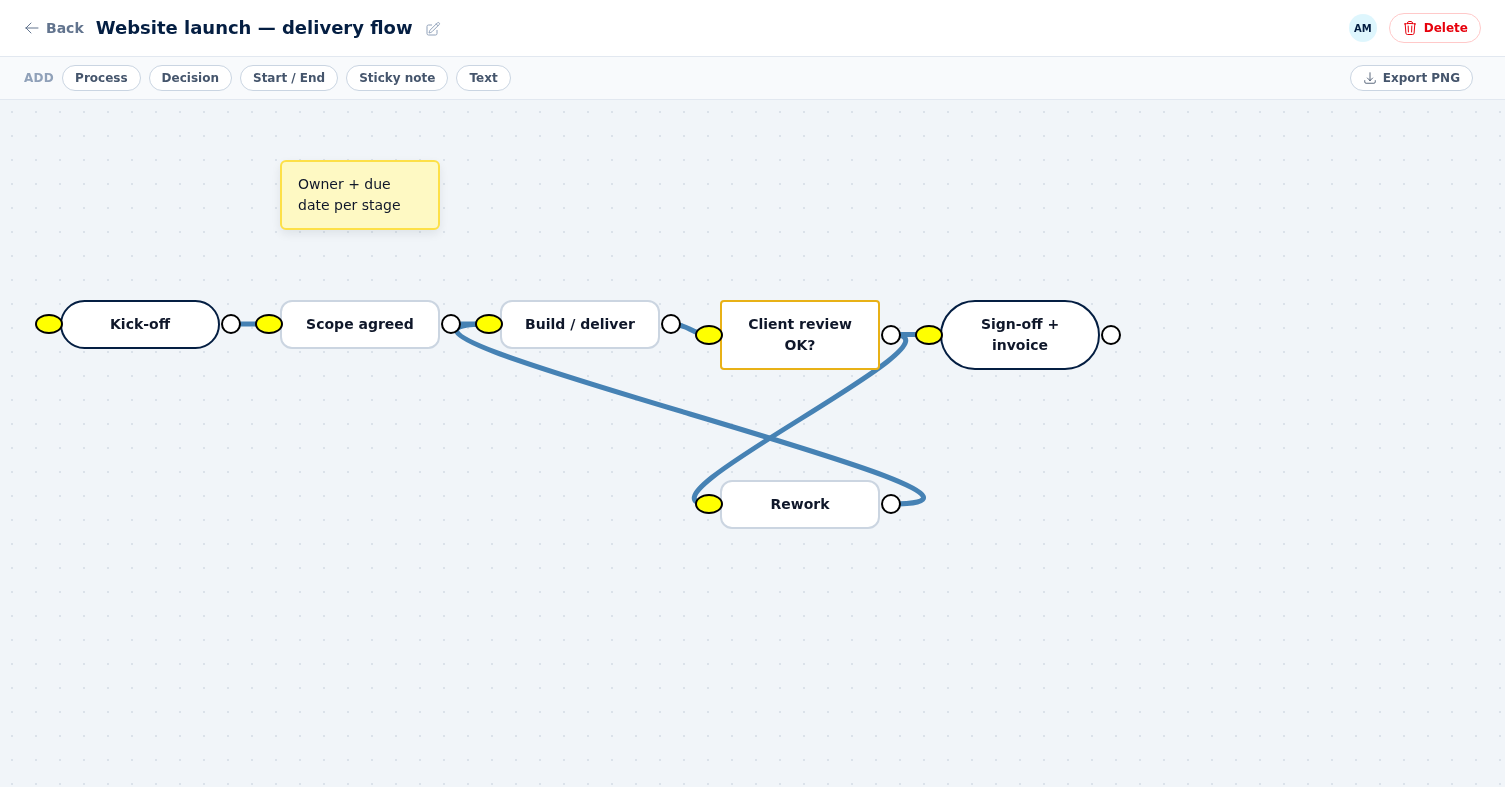
- Project delivery flow — show the path from kick-off through review to completion
You can also start blank. Add process steps, decisions, start and end points, sticky notes or free-standing text, then drag connections between shapes to show the flow. Labels can be edited directly on the canvas, and undo and redo shortcuts make it easy to explore an idea without worrying about every move.
A simple way to build a useful diagram
Good diagrams do not need to capture every possible detail. Start with the question the picture needs to answer.
For a sales lead, that might be: **How will this organisation reach a buying decision?**
For a project, it might be: **What has to happen between kick-off and customer
approval?**
Then:
1. Add a clear start and end point.
2. Place the main stages between them.
3. Add the decisions that change the route.
4. Connect the shapes in the order the work happens.
5. Use sticky notes for risks, assumptions or questions that still need an answer.
6. Review the flow with the people who actually do the work.
If a shape does not help answer the original question, it probably does not need to be there. Clarity is more useful than completeness.
One system for the conversation and the outcome
For a small team, the cost of another tool is not only its subscription. It is the extra login, the duplicated information and the uncertainty over which version is current.
Beagle diagrams are part of the same place where your team follows leads and delivers projects. That keeps the visual plan close to the customer record, the people doing the work and the outcome everyone is trying to reach.
No detached whiteboard. No mystery attachment. Just a clear, shared picture of what happens next.